Introduction to Doodi
Doodi is a desktop workspace for turning a brand’s content into editable social designs. Keep your logo, photos and approved facts in a project, plan a campaign, and work with Doodi’s AI assistant on a canvas. Refine individual layers, reuse templates, and review every post before exporting or publishing.
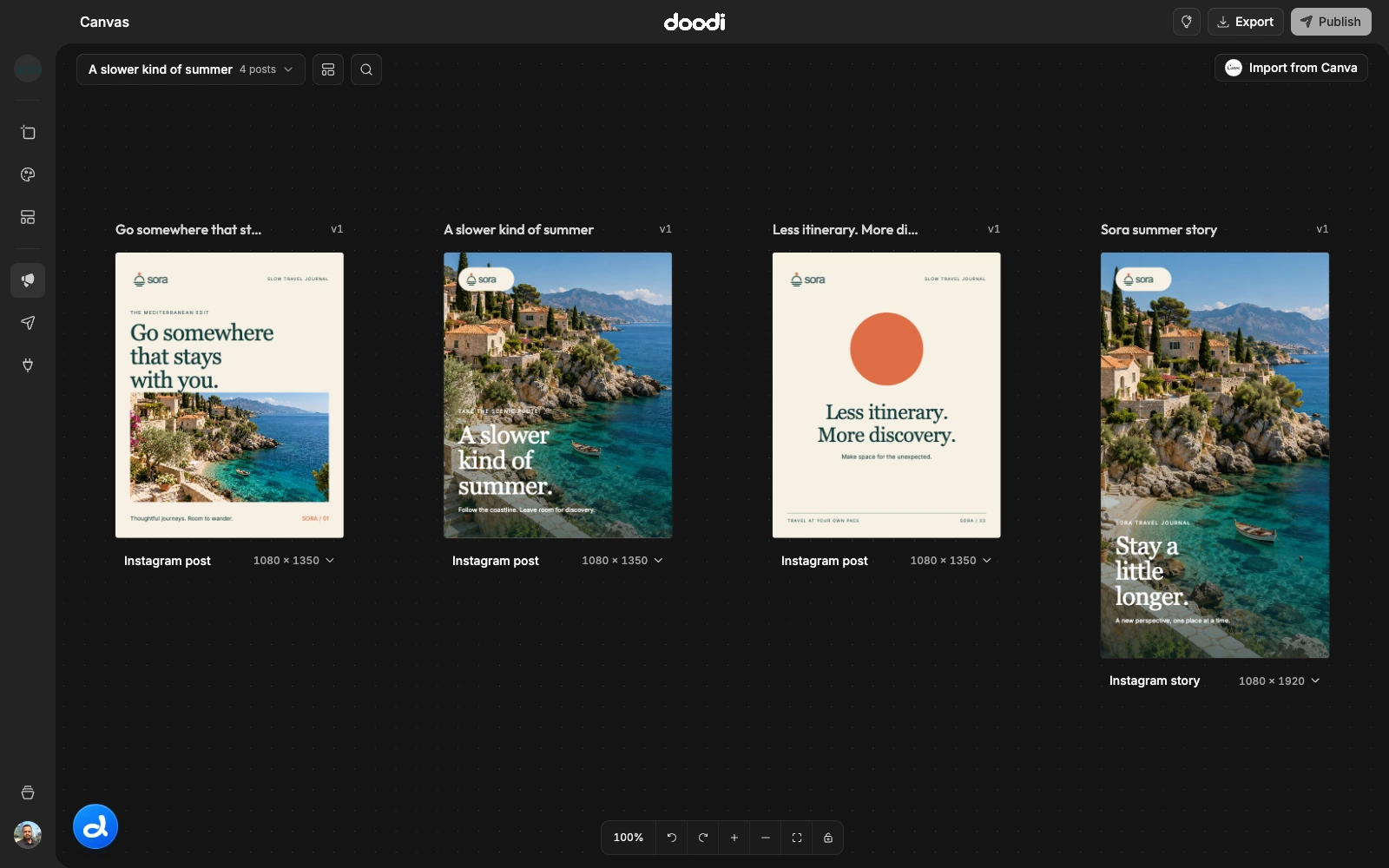
This documentation follows the current development app. Screenshots use Sora, a fictional travel brand created for these guides. They show real saved designs in a consistent 1600 × 1000 application viewport. Some recent features may arrive in your installed version through a later update.
Start here
- Install Doodi and sign in.
- Create your first project with a logo and approved brand facts.
- Make your first design, then edit the text and image.
- Export your artwork or review it for publishing.
What you can do
| Workspace | What it is for |
|---|---|
| Projects & brand | Keep brand facts, website sources, logos and photos together. |
| Project canvas | Create reusable profile images, covers and website artwork. |
| Campaigns & canvas | Arrange posts, select designs, track versions and export artwork. |
| Designing with Doodi | Plan, write, create, refine and explore image samples with AI. |
| Template studio | Build reusable layouts with editable text, images and styling. |
| Media & inspiration | Upload assets, search photos, save references and import Canva designs. |
| Social publishing | Connect accounts, review captions, save drafts and schedule supported posts. |
| Agent connections | Give a local MCP client scoped access to your Doodi workspace. |
How your work is organized
A project owns a brand’s facts and media. A campaign groups that project’s social posts. Each design has artwork, editable content, a caption and saved revisions. A template is a reusable design that you copy into a campaign. Copies remain independent.
Your Doodi account syncs projects and files across signed-in devices. AI access is separate from the Doodi license. Social publishing also depends on an active publishing entitlement and the destination’s connection status.
Find a specific answer
Use the search field at the top, or press ⌘K on Mac. The sidebar groups guides by task, and On This Page jumps to sections within the current guide. Use Copy page to copy a guide into your notes or an AI chat. Click any screenshot to inspect the full application view.
Help and troubleshooting
Join the Doodi Discord community to ask workflow questions, share designs and suggest features. The community guide explains which channel to use.
Start with common issues. For an account, license or connection problem, use Doodi support . Include the app version, the step that failed and the visible error. Never include passwords, API keys or agent tokens.