Create your first design
Make one post, refine it, and export it before building a larger campaign.
Prepare the campaign
Open your project, go to Campaigns, and create a campaign with a descriptive name. Open it to reach the canvas. Choose Use template if you already have a suitable saved layout, or open Doodi for an original design.
Give Doodi a clear request
Describe the message, format, assets and constraints. For example:
Create an Instagram portrait post for Sora using our logo and the Mediterranean photo. Use the exact headline “Go somewhere that stays with you.” Keep the text editable. Do not add a price or contact details.
The example is for the fictional demo brand. Replace its facts with your own approved content. If several posts are selected, clear the selection before asking for unrelated work.
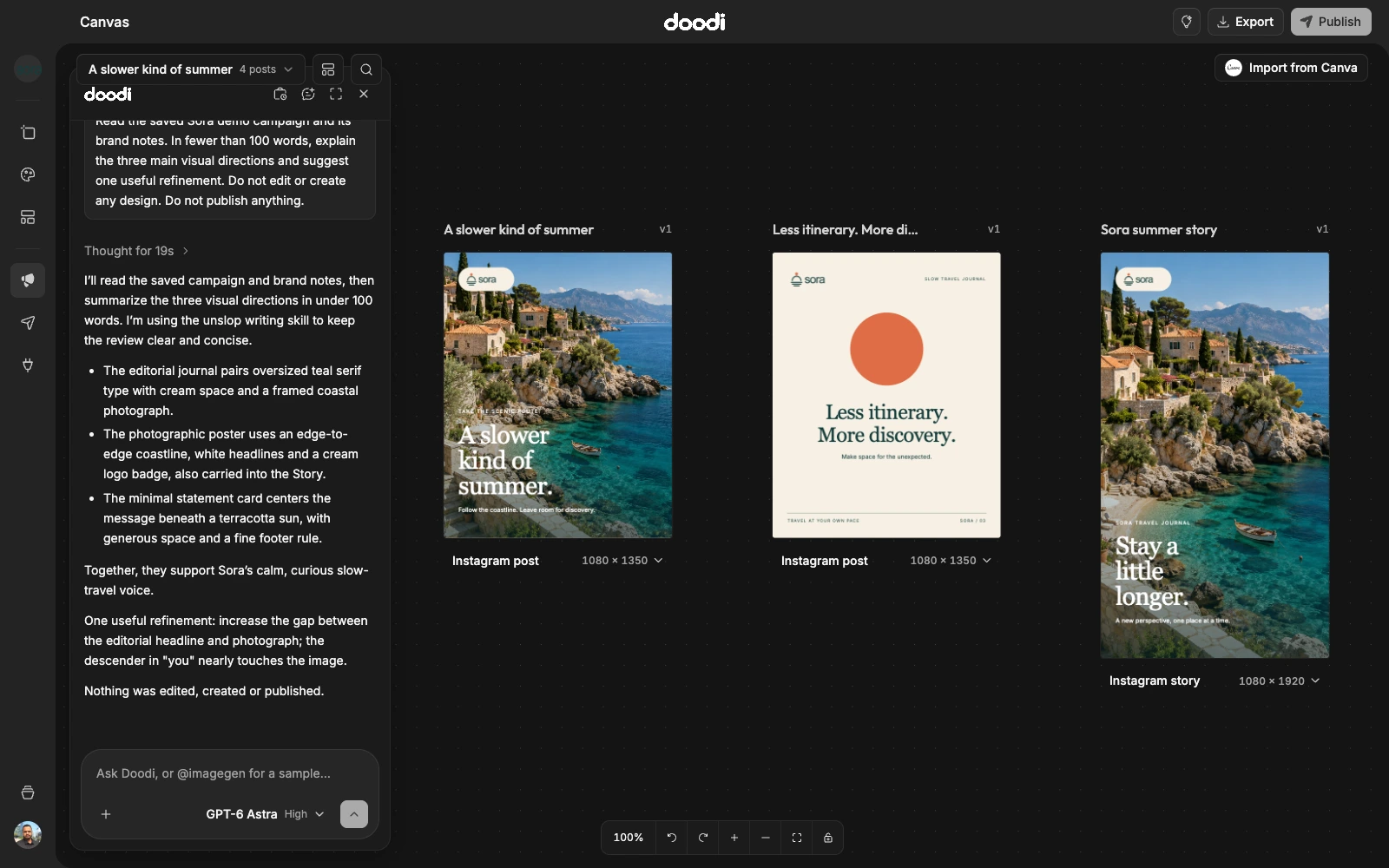
Wait for the saved artwork
A loading frame appears while Doodi creates a new design. It takes the requested shape when the format is known. Wait until the final artwork has rendered before judging it. Read the response for missing information or limitations.
Refine a detail
Click a text or image layer to open its editing controls. Change text, color or typography and check the saved preview. For a change that needs interpretation, choose Annotate design, mark the relevant area and explain the change. See direct layer editing and annotations.
Export or review
Select the design and choose Export for a PNG at its artboard dimensions. Choose Publish to review the caption, account and timing. Creating a design does not publish it. If no social account is connected, you can still export the artwork.