Connect an external agent
Doodi’s MCP server lets a local agent work with the projects, designs and publishing tools you permit.
Create a connection
Open Account → Agent connections. Enter a name that identifies the client, choose an expiry and select its permissions. Read access is required. Write access is selected by default; publishing and deletion are separate opt-ins.
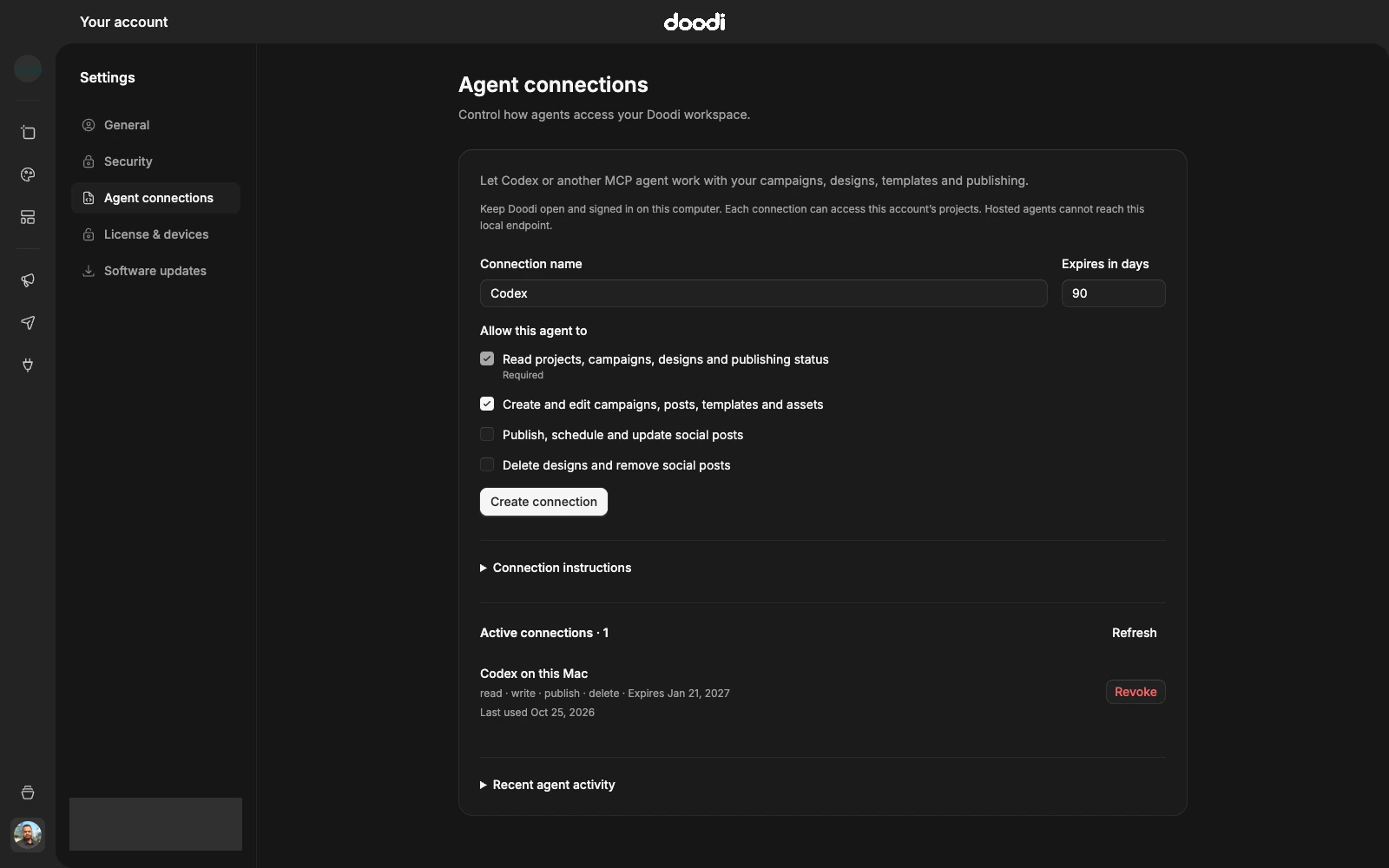
Choose Create connection, then save the token and server URL. The token is shown once. The configuration preview contains a placeholder; an explicit Copy configuration includes the newly created token until you dismiss it.
Keep Doodi available
The connector runs on this computer. Keep Doodi open and signed in to the account that created the connection. Use the endpoint displayed in Account settings. The normal desktop address is http://127.0.0.1:17481/mcp, while a development instance can use another port.
A hosted agent cannot reach this loopback address. Do not expose the local endpoint through a public reverse proxy as a substitute for a hosted integration.
What an agent can do
With the appropriate permissions, an agent can read brand facts, organize campaigns, create editable designs, inspect renders, reuse templates, upload images, import designs and submit reviewed social posts. See the tool reference.
Billing, account passwords, social-provider sign-in, arbitrary shell commands and general filesystem access are not exposed by this connector. Connect social accounts through Doodi’s Apps page.
Finish setup
Use the Codex setup guide or configure another Streamable HTTP MCP client. Start with a read-only request to confirm the account and project before making changes.