Manage logos and images
The project’s asset library holds the media Doodi can use for that brand.
Upload files
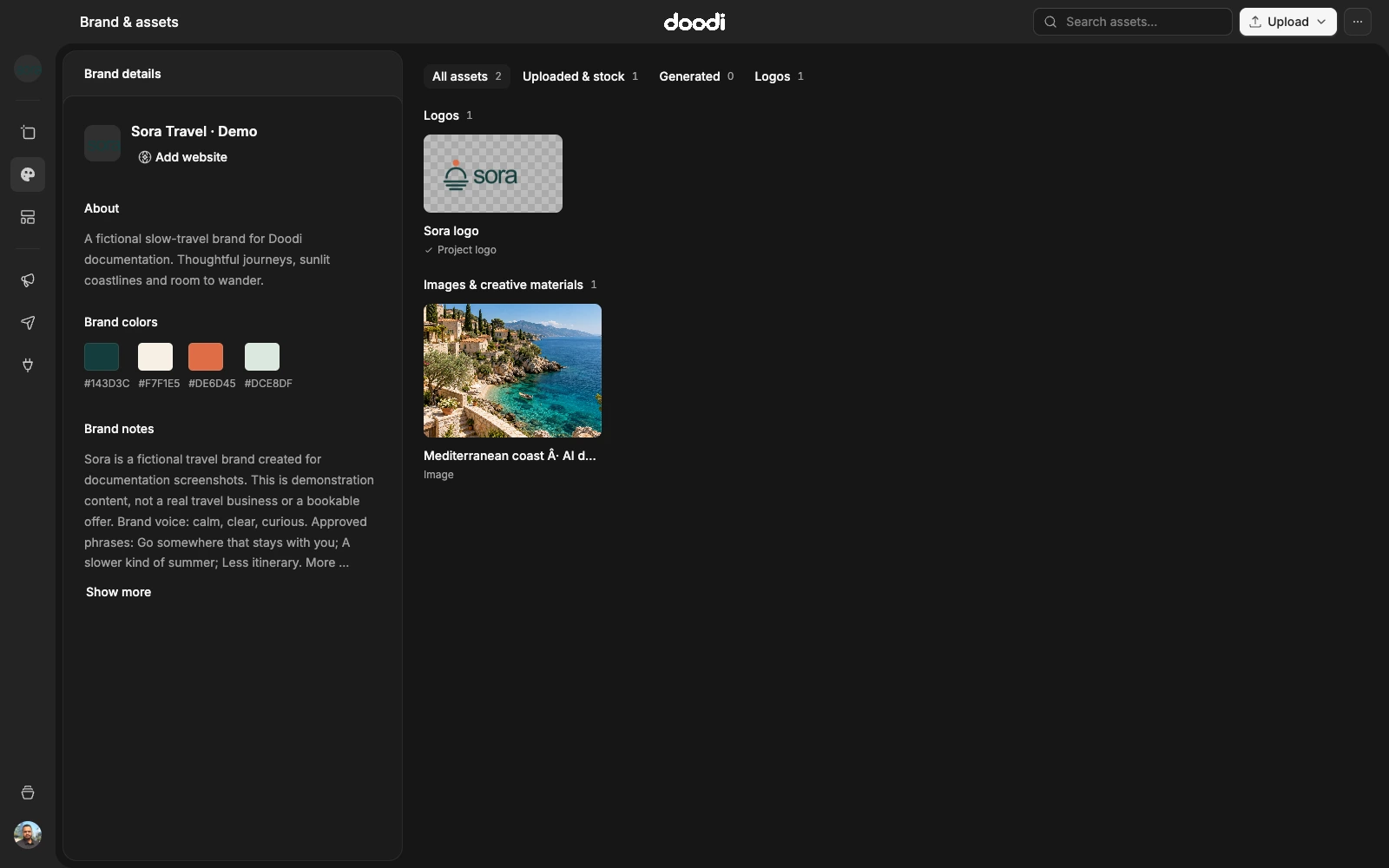
Open Brand & assets and choose Upload. Add PNG, JPG, WebP or SVG images under 20 MB each. Doodi decodes uploads before saving them; SVG logo uploads are stored as safe PNG images.
Keep assets recognizable
Use descriptive file names for logos, product images and campaign photography. Choose the correct project logo from the library. The gallery separates logos from images, and origin categories distinguish recorded uploaded/stock and generated assets. Historical items without an origin can appear in Other.
Search the library when it grows. Use the available asset actions to rename or archive media. Archiving is an organizational action; inspect existing designs before assuming a used image has been replaced or removed.
Use an image in a design
Select an image layer and open its library picker. The picker stays scoped to the current project. Choose a replacement, then check crop, fit and saved appearance. An asset from another brand should be deliberately uploaded or selected within the intended project rather than borrowed accidentally.
Stock photography
The stock picker searches Unsplash when the service is available. Choosing a photo records its source and photographer credit. Preserve those details when reusing the image and follow the source’s usage terms.
Assets versus inspiration
Assets are media you intend to use in artwork. The inspiration library stores reference designs and their sources. A saved reference is not automatically an approved brand asset or a license to reuse every element in it.