Connect social accounts
Connect the destination profiles you want to use for a project before submitting posts.
Open Apps
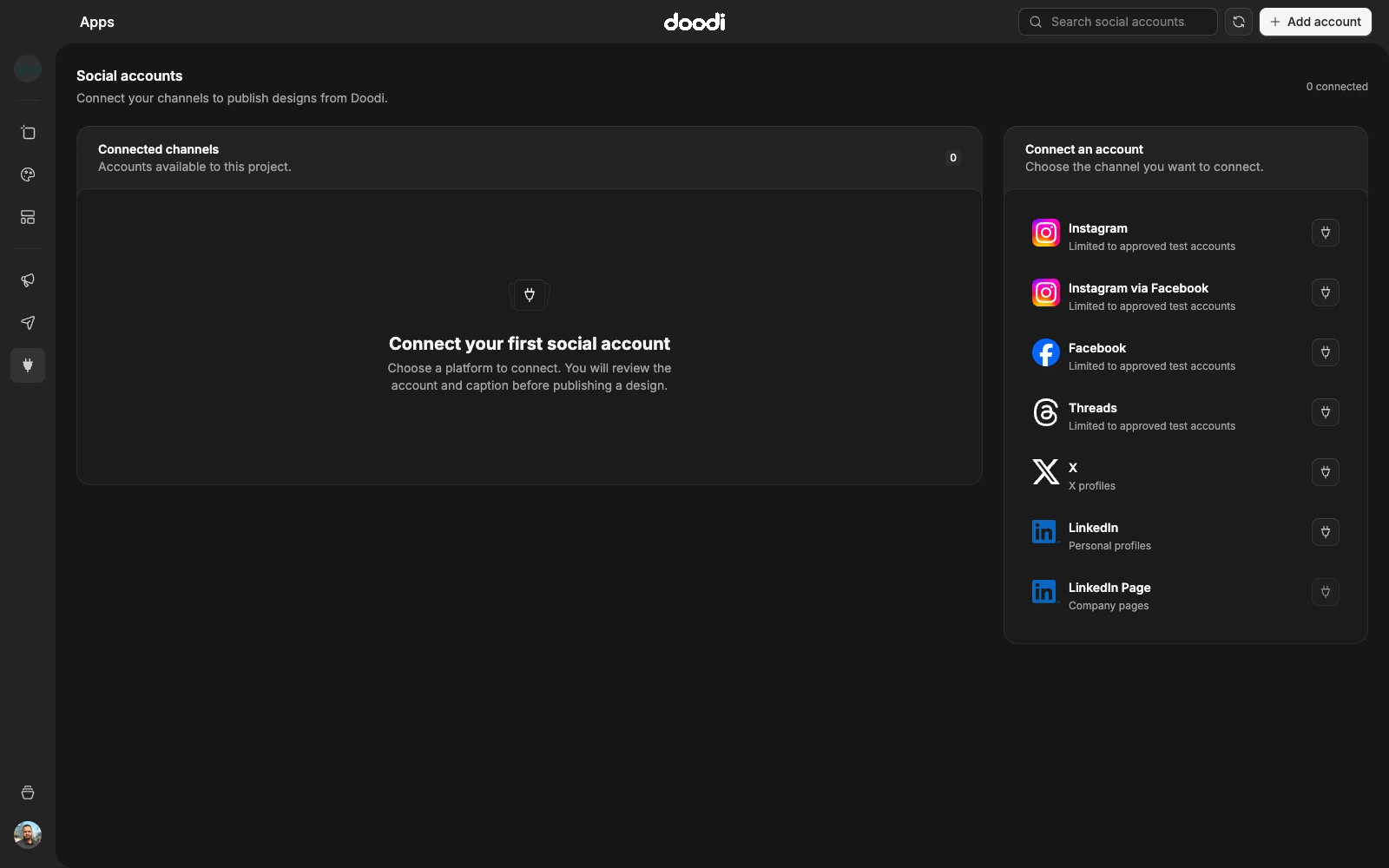
Select the correct project, then open Apps. The current customer workspace lists social connections. Choose an available provider and complete its browser sign-in and consent flow. Return to Doodi and refresh the account list if necessary.
Read availability labels
A provider can be available, restricted to test accounts, require setup, or need reconnection. A visible button is not proof that every customer account can authorize it. The label and current connection status in the app are the relevant guide.
X, personal LinkedIn and the configured Meta providers use their own authorization requirements. Facebook Pages, Instagram, Threads, LinkedIn Pages, YouTube and other destinations may have different approval or account-type restrictions. Do not assume all listed networks are enabled for your account.
Confirm the identity
Check the profile name, platform and project association after connecting. A provider can offer several Pages or profiles during consent. Choose the intended destination and verify it again in publishing review.
A social connection allowance may apply across projects. Open License & devices for your account’s publishing entitlement and profile allowance. Upgrades happen through the website and sync to your account.
Reconnect or disconnect
If a token expires or the provider removes access, use the connection’s reconnect flow. Disconnecting removes access for future Doodi actions; it is not a request to erase already published content on that platform.
Connecting an account does not publish any design. Each submission still goes through review.