Work with the Doodi assistant
Doodi can plan content, write copy, create editable artwork and make scoped changes to selected designs.
Describe the intended result
Include the message, audience, format and required assets. Quote copy that must be exact. State any preserved details, such as the logo, caption, palette or image. If a fact is missing, ask Doodi to identify it before designing.
Create three posts using different suitable templates. Keep each template’s layout and our original logo. Use only the approved project facts. Give each post its own caption.
Select the right context
Selected posts, attached references and queued annotations tell Doodi what the request concerns. In Template studio, selecting a layer adds that item to the composer. Check these targets before sending a narrow change.
Text-only requests stay in chat. Ask explicitly to create artwork when that is the intended outcome. To explore a visual before adding a canvas design, use image samples.
Models and thinking level
Use the model control below the composer to select from the available catalog and supported thinking levels. Availability comes from the connected AI account and can change. A longer or more demanding request may take more time and use more of that account’s allowance.
Review completion
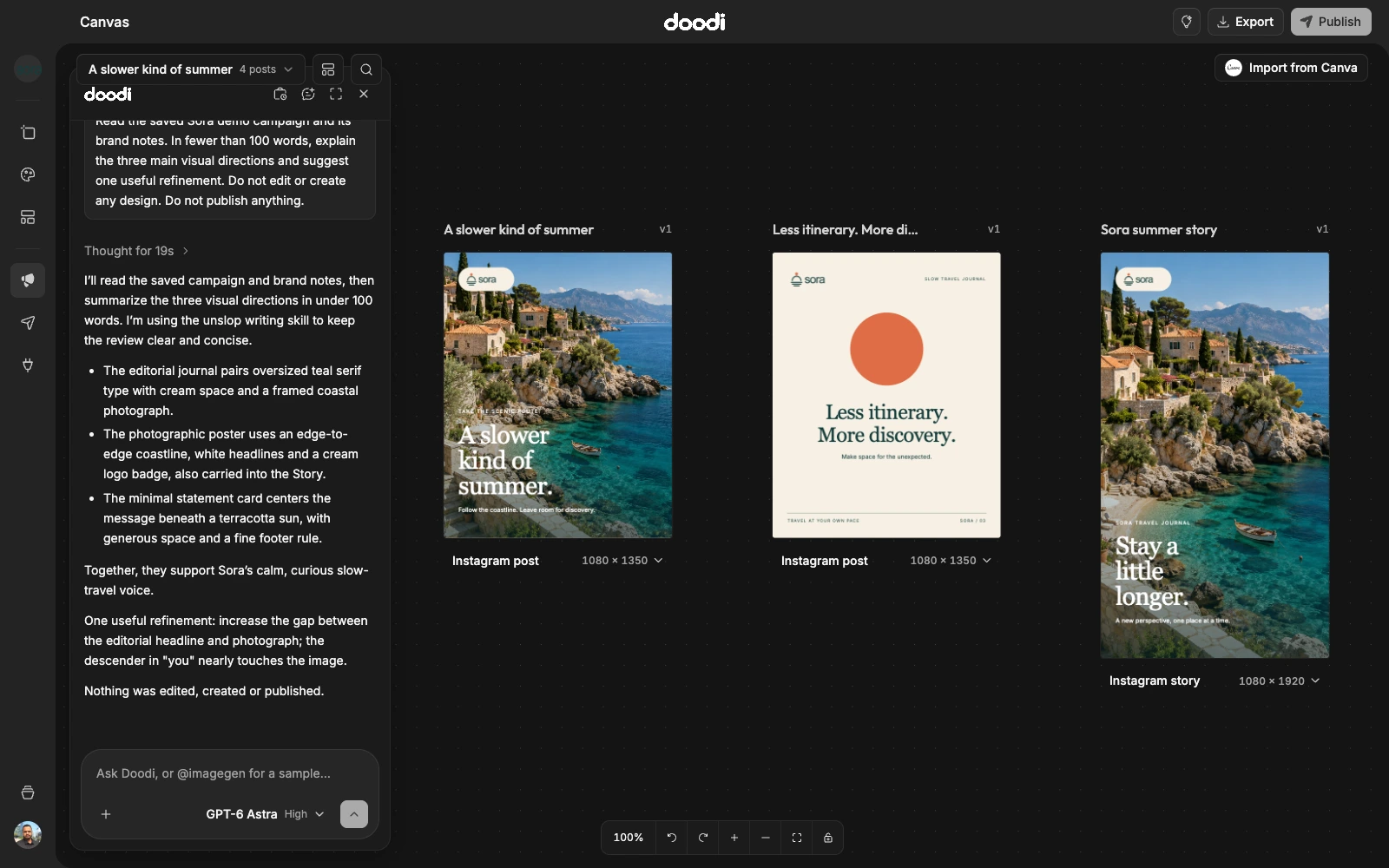
Read Doodi’s response, then inspect the rendered artwork. Check exact copy, assets, layout and caption. A loading frame is temporary; wait for the saved result. If Doodi asks a question, answer it rather than assuming it invented an acceptable fact.
Continue or stop
Minimizing the panel preserves the conversation and draft. Use Chat history to reopen a prior conversation, or start a new chat for a different brief. Use the stop control to interrupt an active request, then inspect what was saved before retrying. Stopping does not necessarily undo work already completed.