Project canvas
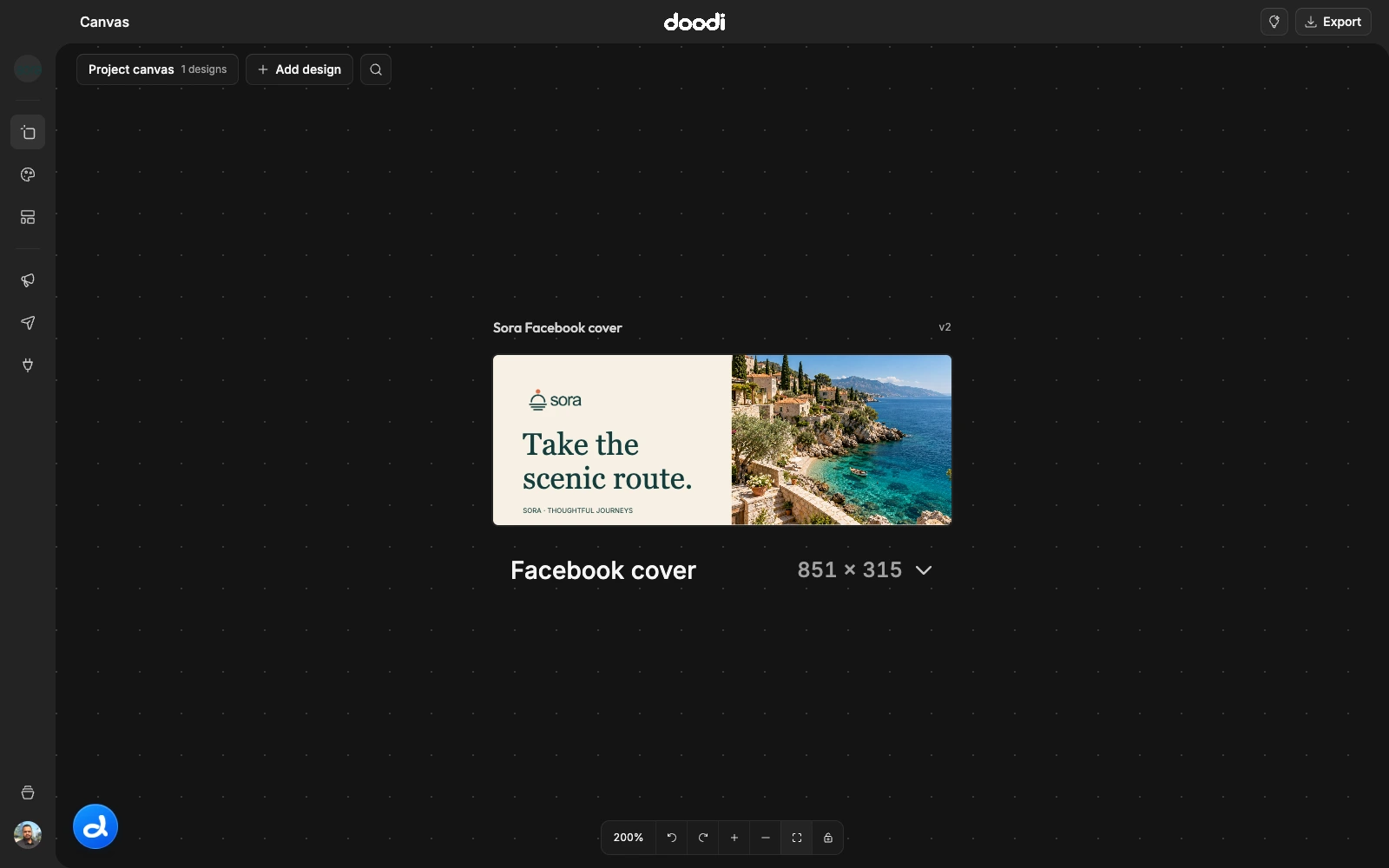
Use Project canvas for brand artwork that belongs to the project as a whole: covers, profile images, website graphics and other reusable designs.
Add artwork
- Open Project canvas in the navigation rail.
- Choose Add design.
- Search or filter the preset picker and select one or several sizes.
- Choose Design with Doodi and provide any missing direction.
The picker includes social formats, 24 project presets and custom artboards. Custom sides can be 100–4096 pixels. A separate loading frame appears for each requested size.
Edit and reuse
The project canvas uses the same layer editing, annotations, version history, resizing and export controls as campaigns. Click a layer to edit it, or open Doodi for a broader change. Wait for every generated artboard to finish rendering.
A cover can have a very wide ratio. Keep important text and logos away from edges because social platforms may crop covers differently on different devices. Doodi’s dimensions describe the working artboard; they do not guarantee every platform’s visible crop.
Export
Select the artwork and choose Export. Project canvas provides export rather than social publishing. Upload a finished cover or profile image through the destination platform’s own profile settings.
Each project has one persistent project canvas. It stays separate from campaign lists and campaign post counts. Use Campaigns when the output is a post you intend to review and publish through Doodi.